

01 · Mood before minutes
Watch the orb respond as you tap
Tap Low through Great on the left. Before you pick a duration, Good Terms invites one honest glance inward. Five seconds, never a chore.
Check in before you scroll. Most screen time tools count minutes. Minutes say nothing about whether the time was worth it.
Good Terms shifts its paper sky with your day. Preview all four:
iPhone & iPad · iOS 26.0+ · Free for up to 2 apps · Data not collected
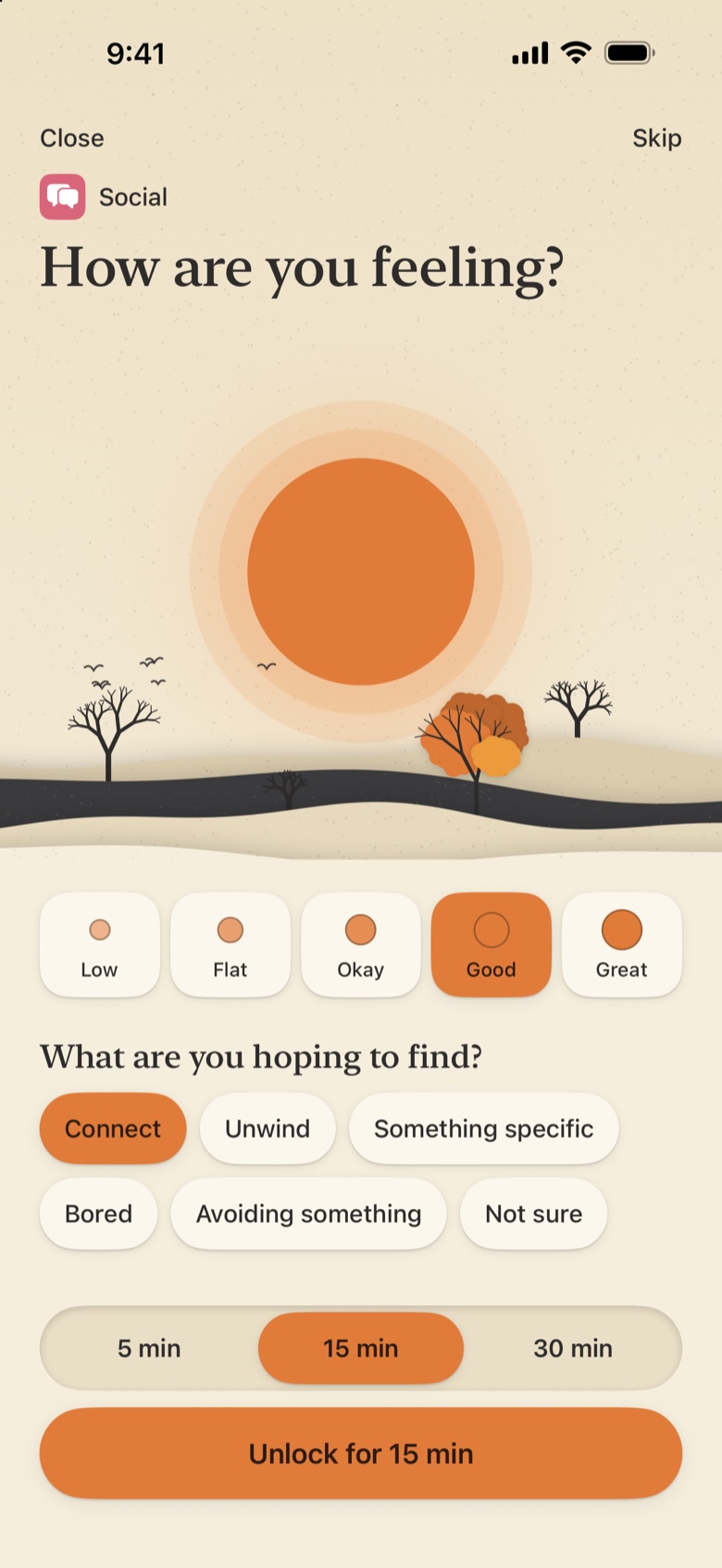
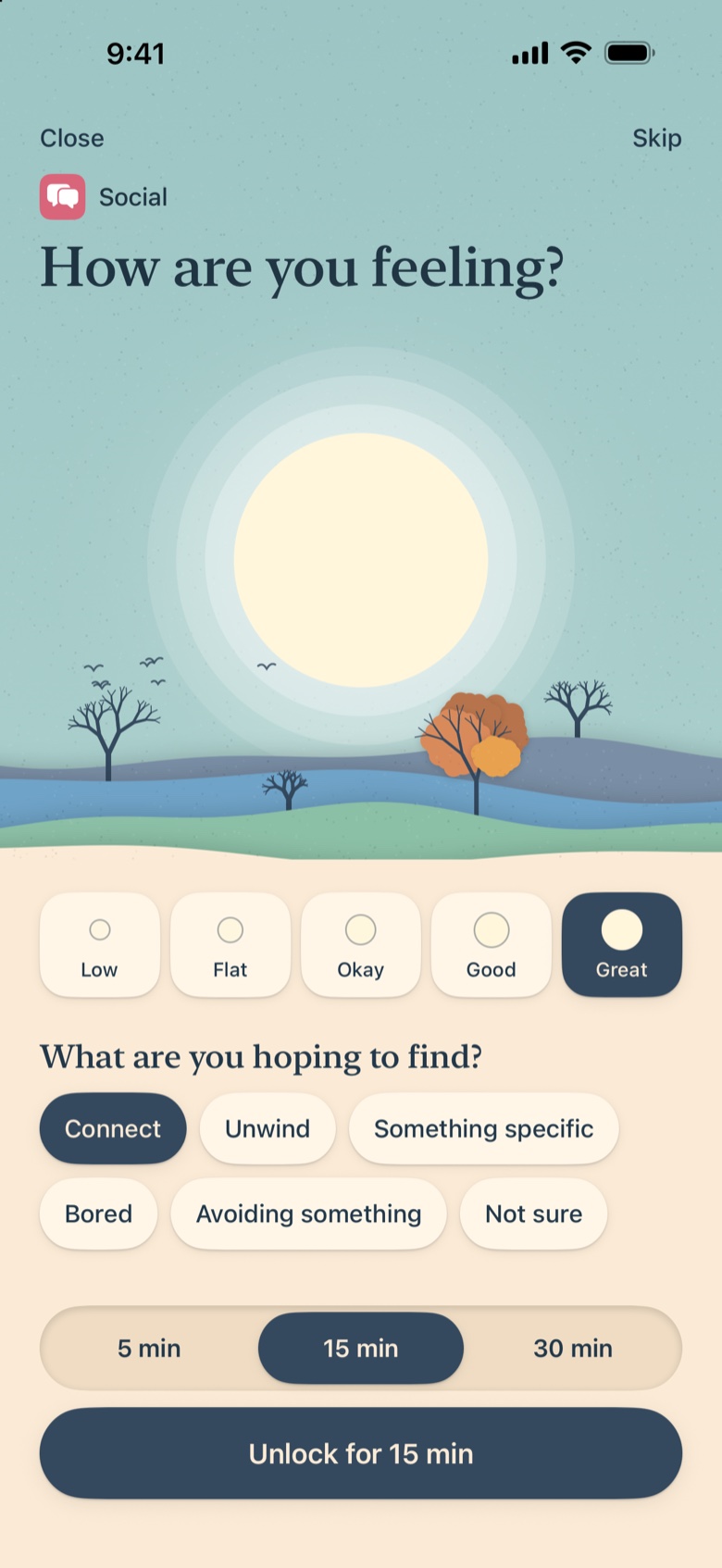
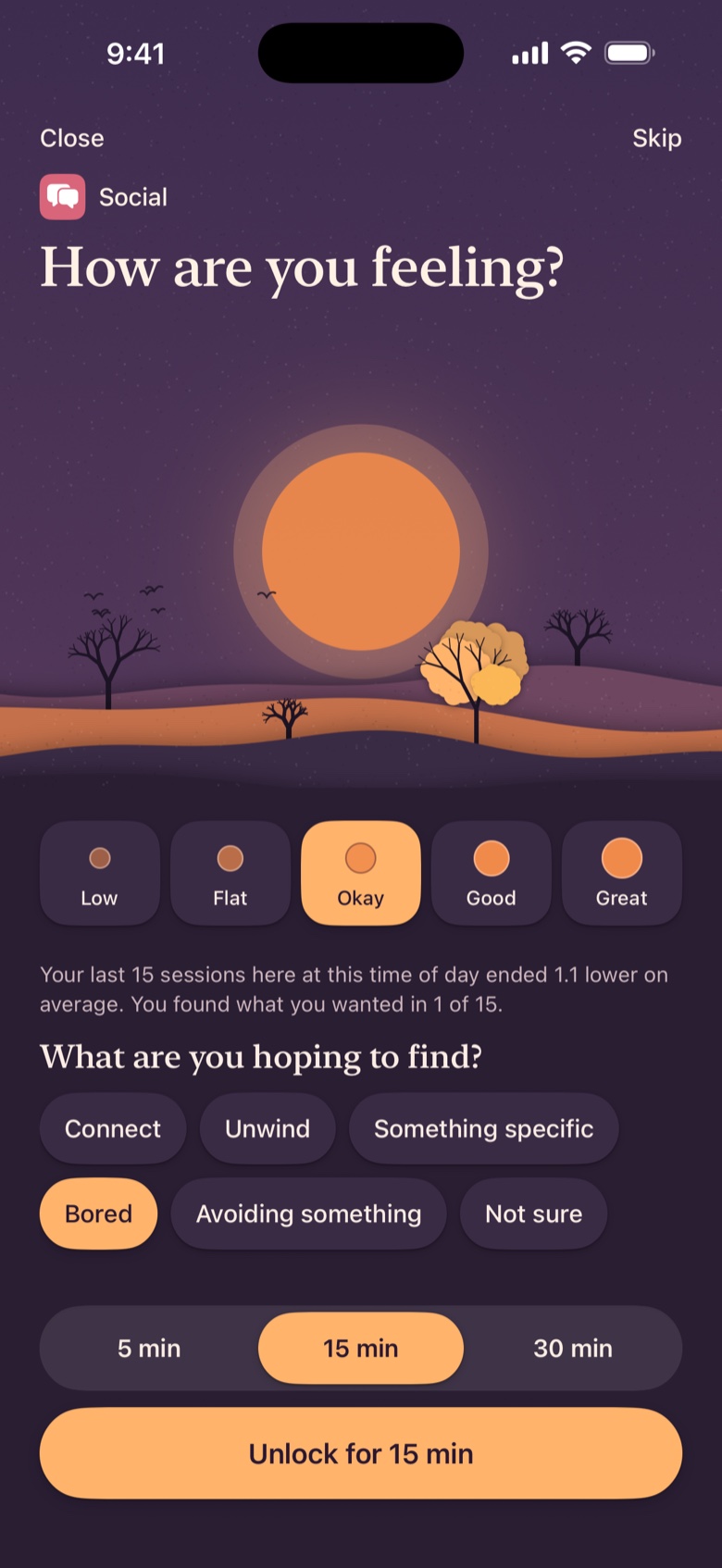
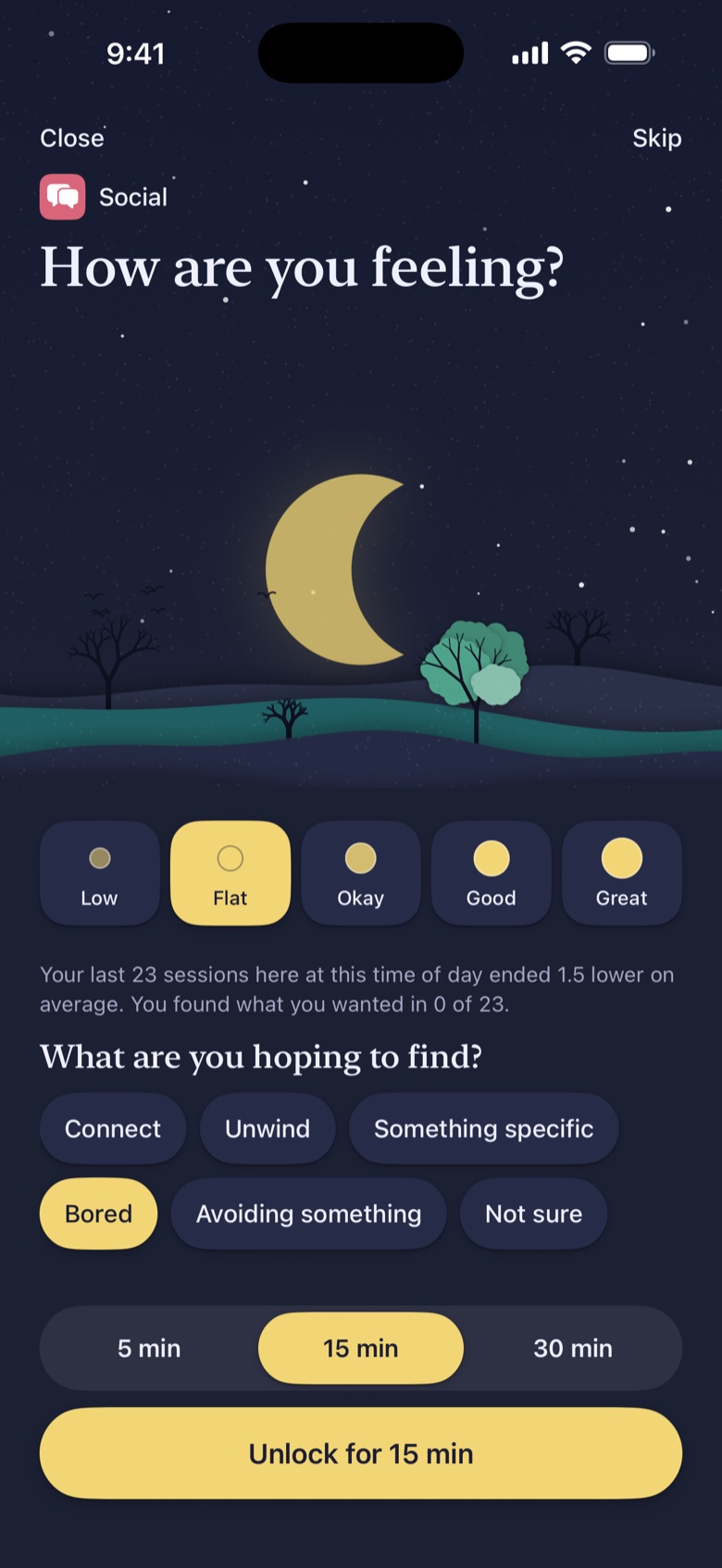
Real capture · Evening palette (17:00–21:59)
Interactive preview
Tap a mood, pick what you are hoping to find, and unlock for 5, 15, or 30 minutes, then step into the Time's Up reflection and try the calming breathing pause.
How are you feeling?
Your last 15 sessions here at this time of day ended 1.1 lower on average. You found what you wanted in 1 of 15.
What are you hoping to find?
01 · Mood before minutes
Tap Low through Great on the left. Before you pick a duration, Good Terms invites one honest glance inward. Five seconds, never a chore.
02 · Your own evidence
Once you have at least 10 sessions in an app at a given time of day, Good Terms surfaces a single factual line from your own check-ins. No moralizing, just what actually happened last time.
03 · Scoped unlock
Pick 5, 15, or 30 minutes. Only the app you checked in for unlocks; every other limited app stays quietly behind its horizon.
04 · Gentle friction, zero nagging
If you walk away before time runs out, Good Terms never interrupts you. It quietly counts it as moved on. Still scrolling within 5 minutes of re-lock? Try tapping Need more time in step 2 to feel the 4-second breathing orb.
How the quiet loop works
Good Terms replaces autopilot taps with a gentle breath, then gets out of your way the moment you move on.
Open a limited app and Good Terms meets you with a calm Screen Time shield tuned to the current sky: a glowing sun or crescent moon, an optional one-line reminder from your own history, and two gentle choices (Check in or Not now).
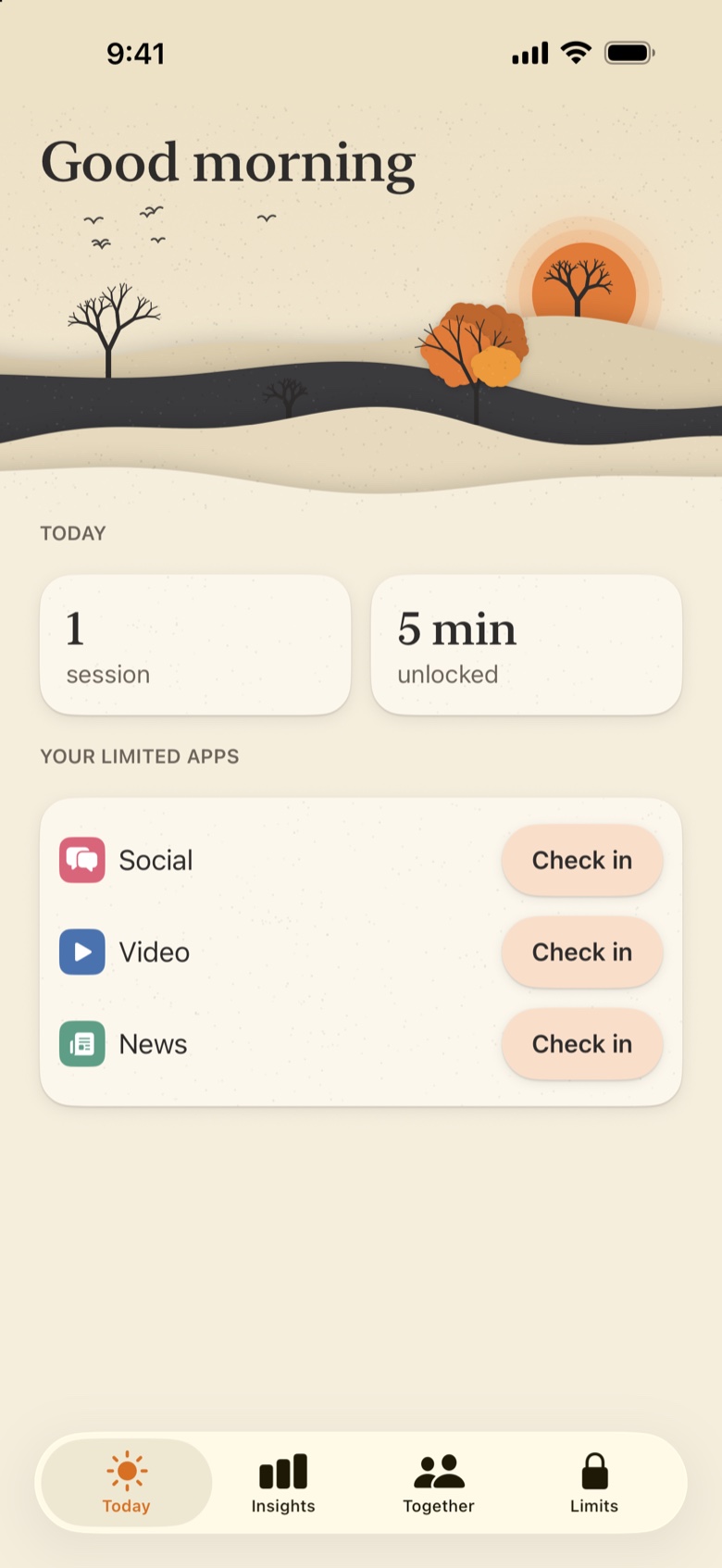
Today tab · Morning sky (05:00–10:59)
Choose how you feel, what you are hoping to find, and a window of 5, 15, or 30 minutes. Good Terms unlocks only that single app while every other limited app stays quietly behind its horizon.
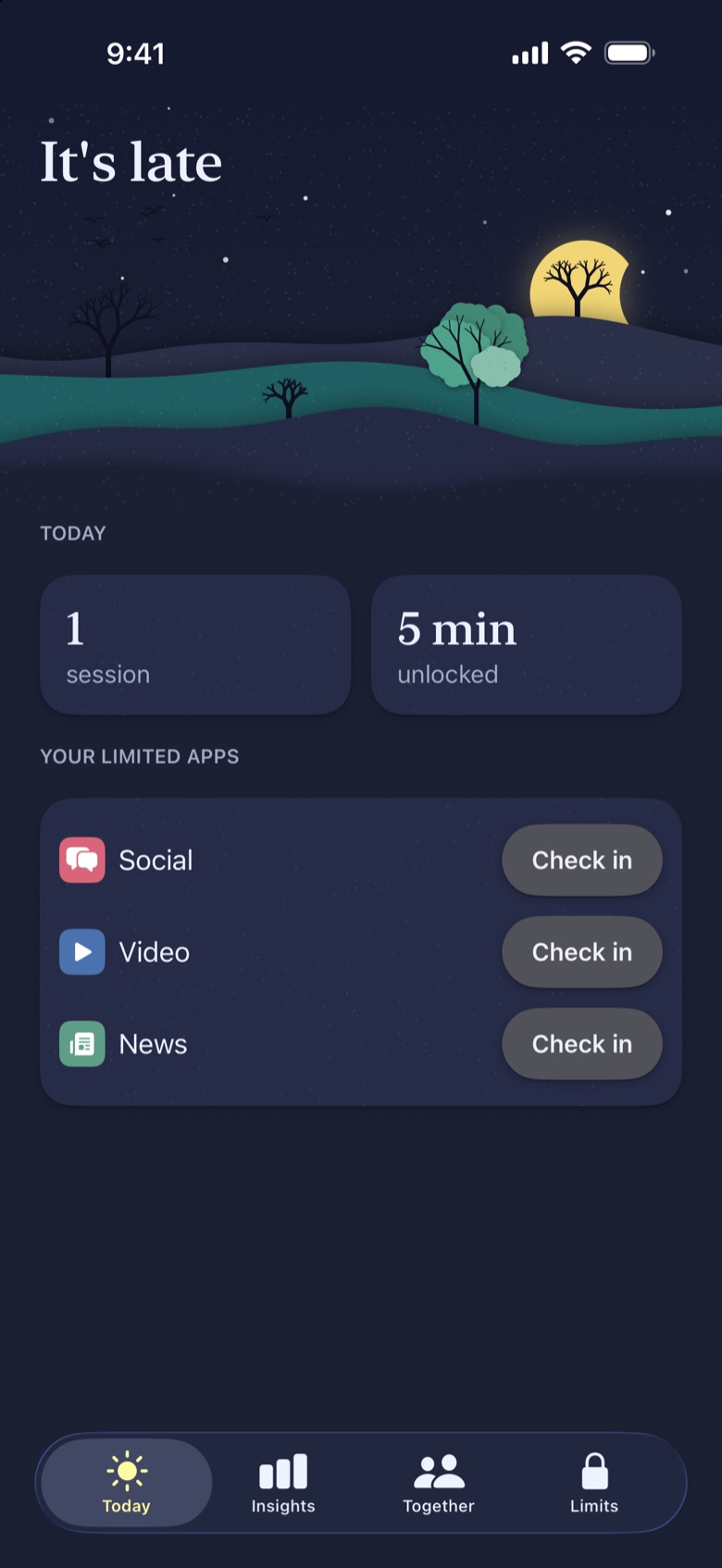
Today tab · Late night sky (22:00–04:59)
Only if you are still inside the app within five minutes of re-lock does Good Terms ask how you feel now and whether you found what you were looking for. "I'm done for now" is always the primary button.
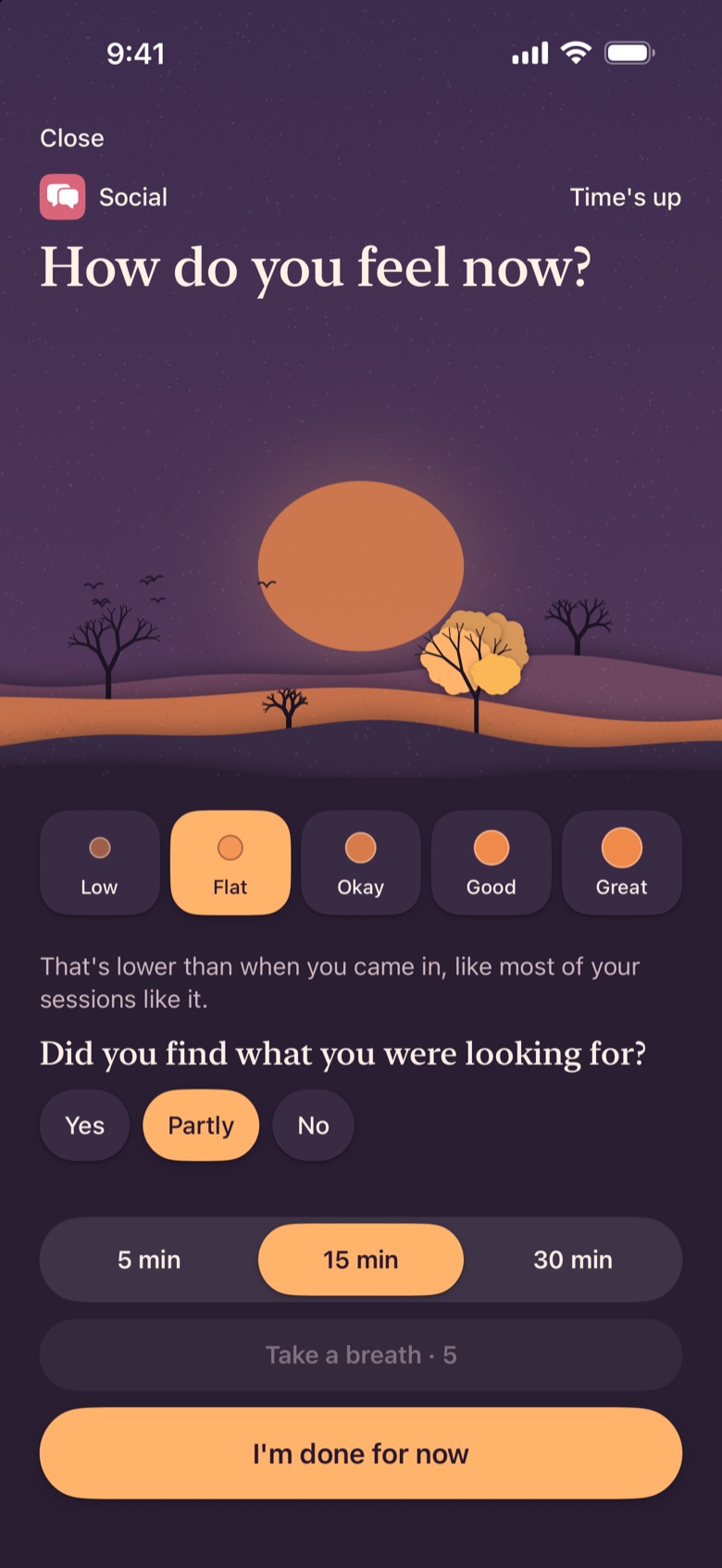
Time's up reflection · Evening sky (17:00–21:59)
Check in first · Anywhere on iPhone & iPad
Screen Time Shield
Automatic pause on launch
Today Tab
Check in directly inside the app
Home & Lock Widgets
One tap from your screen
Control Center
Quick-toggle button
Action Button
Physical press on iPhone
Siri
"Check in with Good Terms"
Insights from your own data
You see how often you move on from your very first session. Once you have ten completed check-ins, Good Terms maps your lifts, drains, time-of-day patterns, opening intents, and two-week trends, all quietly on-device.
Living Trees Horizon
Video (77 sessions): Leaves in full canopy. Video lifts your mood by +0.5 on average, especially in Morning (+1.3) and Midday (+0.6).
When time runs out
Available from session #1The rest of the time you asked for more within five minutes of the lock.
Lifts
Drains
Mood insights · After ≥10 completed sessions
Social · Evening
-1.1 avg moodBased on 23 completed sessions. You found what you wanted in 2 of 23, most often opening for Bored.
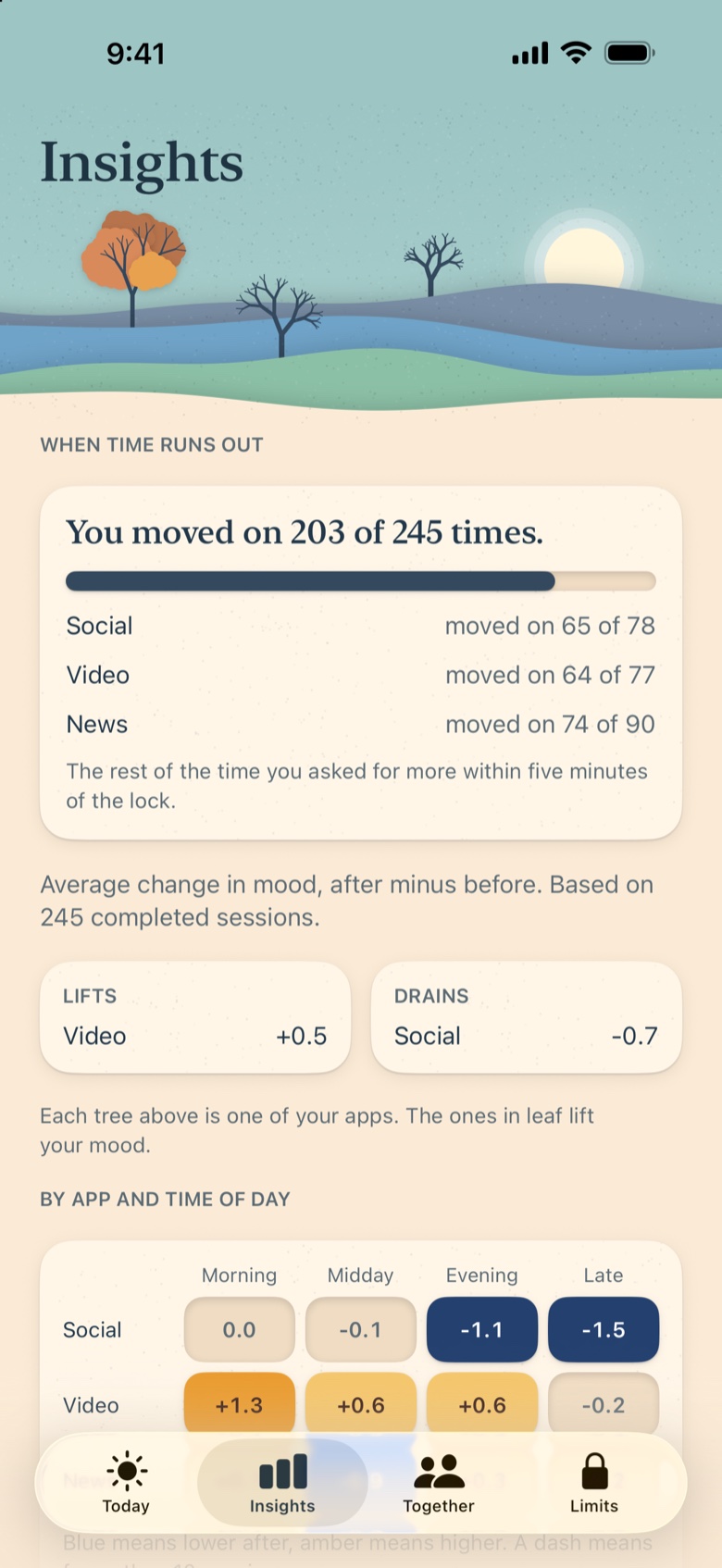
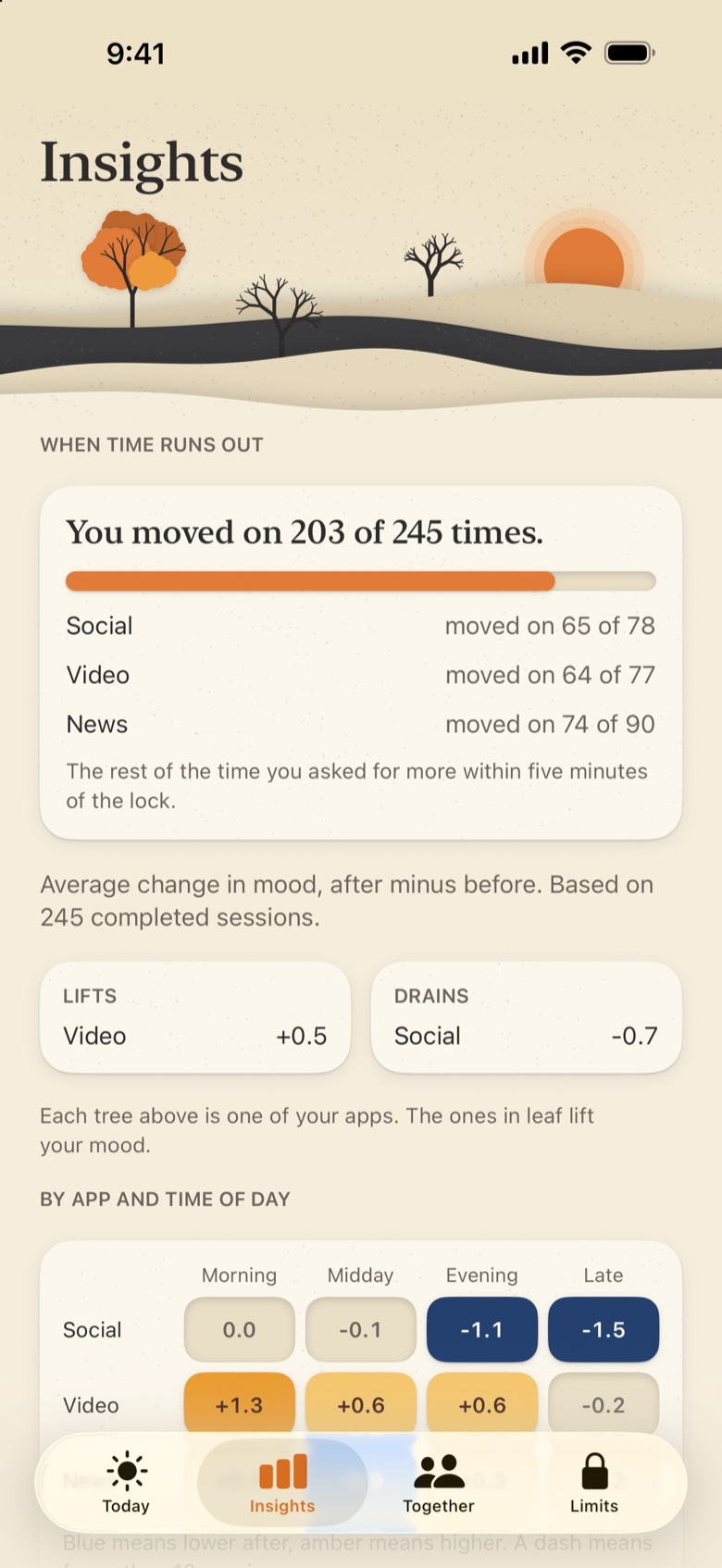
Real iPhone captures. Insights computed 100% on-device.
Limits & Together
Start lightly, add a daily budget when you are ready, or share weekly accountability with your family through private iCloud sharing.
Lock mode
Always lets you unlock after checking in, and allows skipping whenever you are in a rush. Ideal for building awareness without friction.
No skipping. Set a daily budget (5–180 min in 5-min steps, default 30 min) plus one 15-min emergency pass per week.
60-second cooling-off pause
Tightening limits is instant. Switching Firm → Gentle or raising your budget asks for a calm Take a breath · 60 pause first.
05:00 to 05:00 day boundary
Your day runs from 5 a.m. to 5 a.m., so late-night scrolling past midnight honestly counts toward that night, not tomorrow morning.
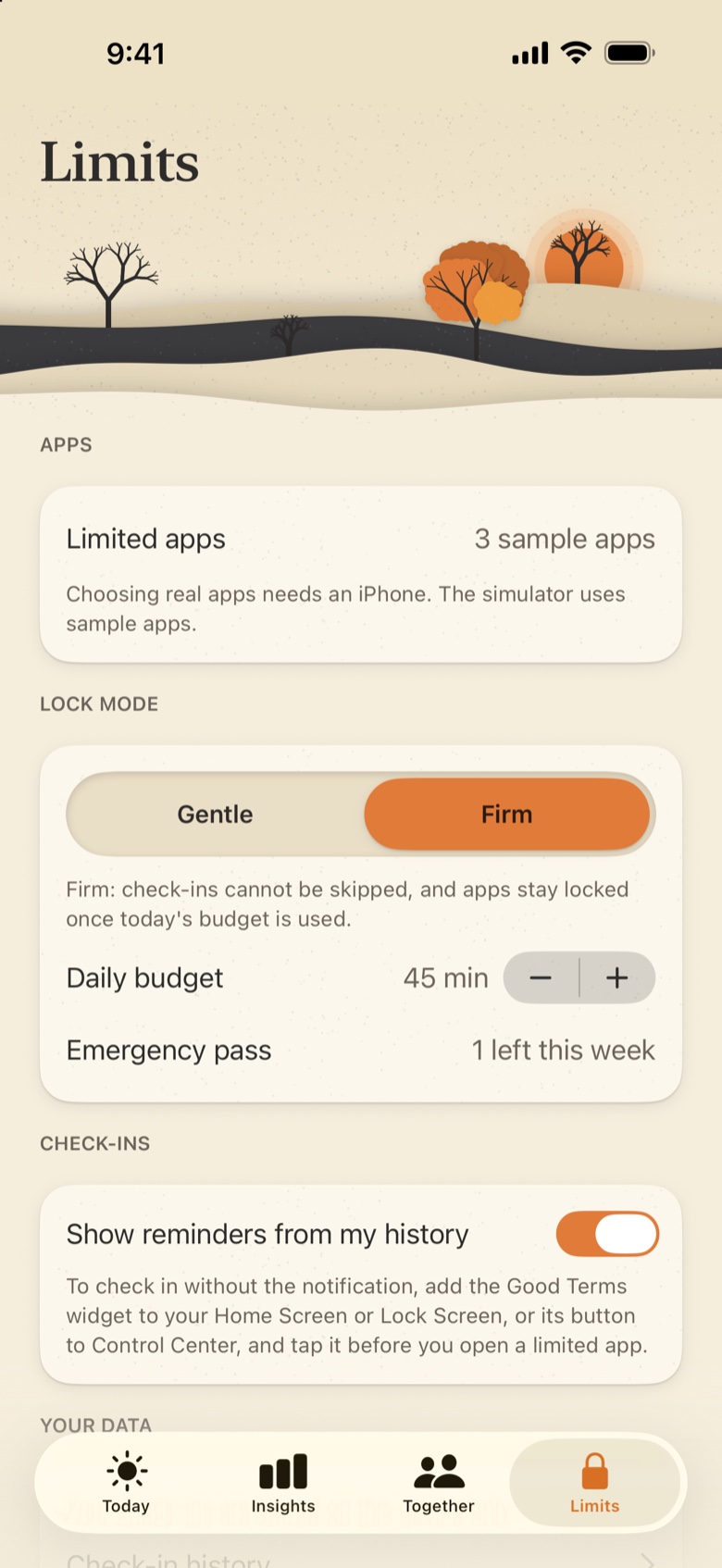
Limits tab · Gentle or Firm in one tap
Together · Private iCloud Family Sharing
Share weekly summaries side-by-side through serverless Apple iCloud (CKShare), with no HiroCloud account or server required. Parents' numbers sit right next to kids', turning screen habits into an honest team effort.
Moved on 28 of 32 times
145 min unlocked · 32 sessions
Moved on 19 of 21 times
95 min unlocked · 21 sessions
Moods are private by default. You can optionally share your weekly average mood change, while individual check-ins and specific app names are never shared.
Child's Phone Setup
Set up Good Terms on a child's iPhone or iPad using Apple Family Sharing authorization, helping kids practice noticing how apps make them feel instead of just hitting brick walls.
Numeric Parent Code
Locks the Limits tab behind a numeric Parent Code that automatically relocks the moment you leave the app.
Zero purchase prompts on child phones
Subscription and upgrade screens are completely hidden on child devices. Good Terms Plus covers the whole family automatically via Apple Family Sharing.
Same zero-data promise for kids
A child's check-ins stay on their device and are never sent to HiroCloud or any third party.
Child's Phone setup and Parent Code are included in the free tier.
Product philosophy
No lectures, no articles telling you phones are bad. Good Terms shows what your own check-ins say about how each app leaves you feeling at different hours.
A breath, not homework. Tap your mood, pick what you came for, choose a duration, and go. Fast enough that you actually keep doing it.
Written in a warm, steady voice. Zero streaks to break, zero daily scores, zero guilt badges, and zero flashing red warning banners.
Start in Gentle mode or tighten to Firm whenever you want. Calm pauses help you act on your intentions without locking you out of your own choices.
Good Terms has zero servers, zero accounts, zero analytics, zero ads, zero tracking, and zero third-party SDKs. Everything lives locally on your device in SwiftData (and private Apple iCloud CKShare only if you opt into Together).
Apple's Screen Time (FamilyControls) gives Good Terms only private opaque tokens, so we never receive a list of your apps and can never see inside your messages, feeds, or browsing.
0
Accounts or logins
0
Servers or trackers
0
Third-party SDKs
100%
On-device Insights
Simple, honest pricing
Try Good Terms with your two trickiest apps at no cost, with every core mode and insight unlocked. Good Terms Plus includes Apple Family Sharing for the whole family.
Free Forever
Everything you need to build a calmer relationship with your top two apps.
Good Terms Plus
Includes Apple Family SharingLess than $1.25 a month · Apple Family Sharing included. Never shown on child phones.
Requirements: Requires iPhone or iPad (including foldable iPhone Duo) running iOS 26.0 or later and Apple Screen Time (FamilyControls) access. Not available on Mac, Apple Watch, or Android.
Not medical advice: Good Terms is not a medical product and does not diagnose or treat any condition.

Meet your phone on better terms.
Five seconds before you scroll. Zero shame. Zero data collected.