


Pinned
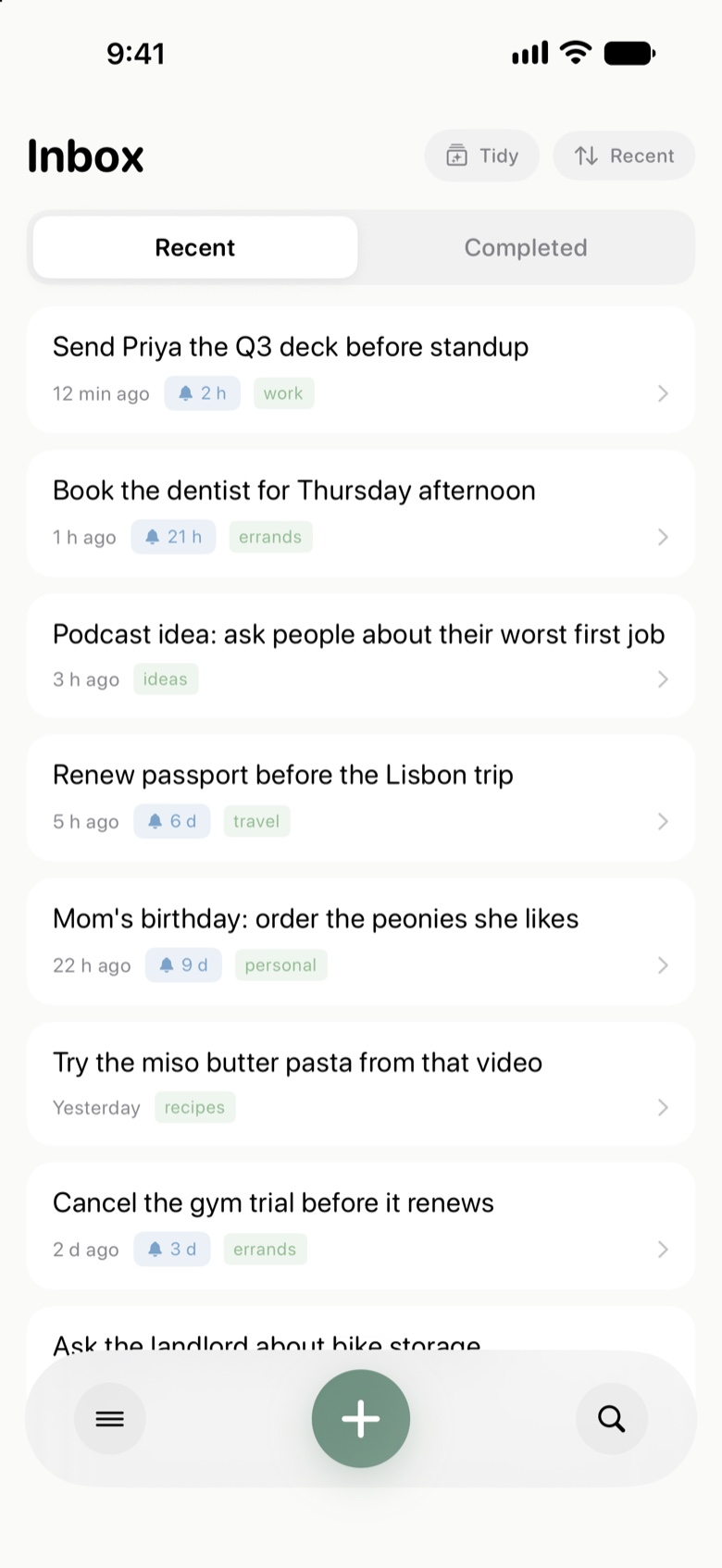
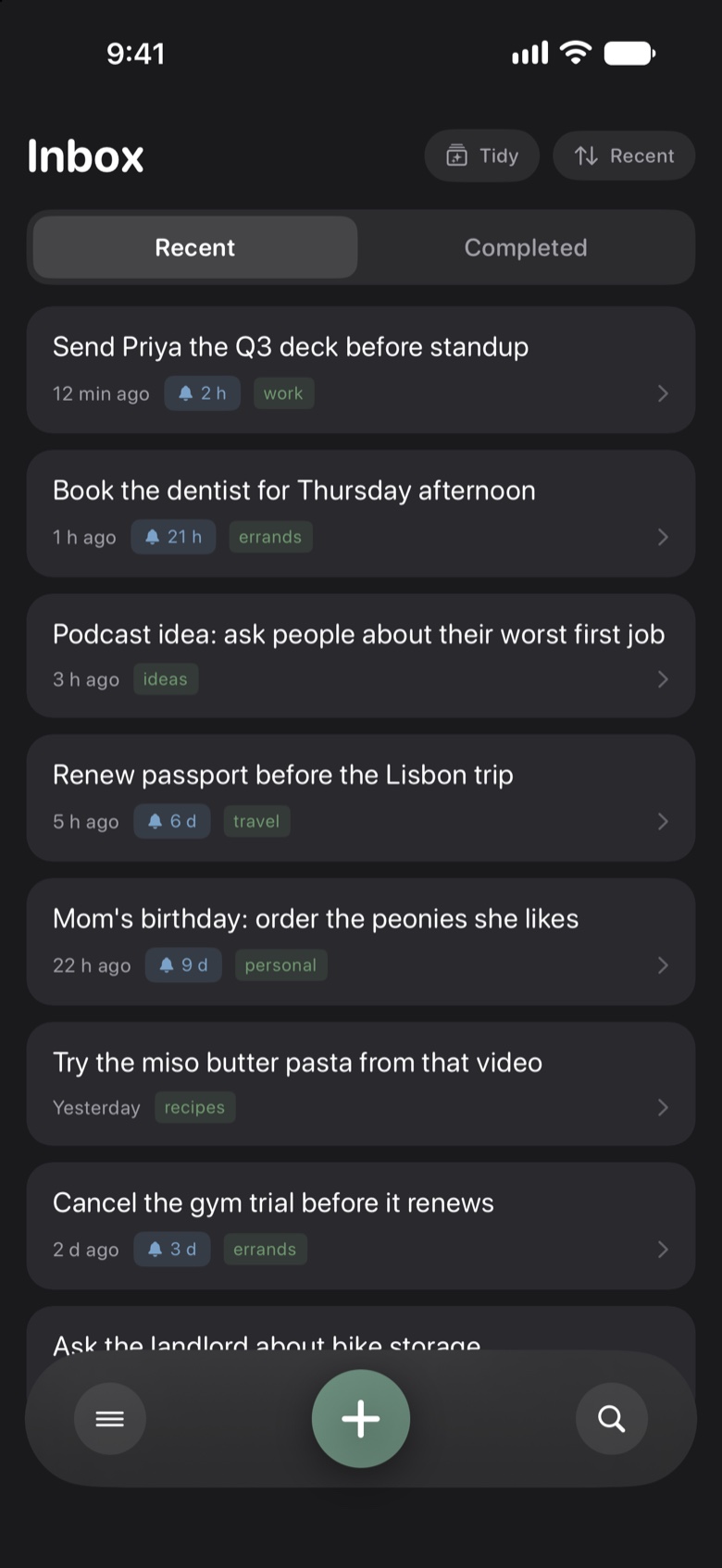
Send Priya the Q3 deck before standup
Just now Today, 9:45 AMwork

Jot · Instant Brain Dump
Tap to type · Hold to speak
Say it or type it. Jot keeps it. Built as a calm external working memory for fast-moving minds, including ADHD brains who bounce off heavy, high-friction productivity apps.
Free forever core · No HiroCloud account · Private iCloud sync · Optional $14.99 lifetime Pro

Zero-friction opening
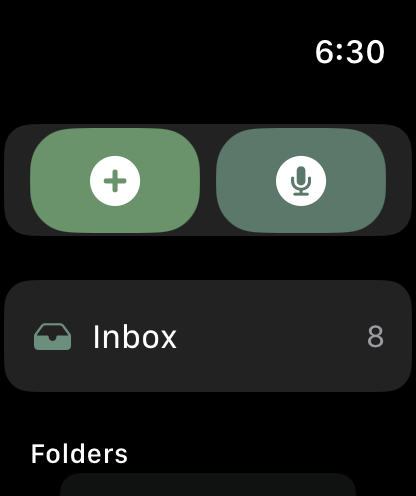
No workspaces to configure first. Tap + to type, hold + to speak, and get right back to your day.
Kind to fast-moving minds
Designed as an external working memory for ADHD and busy brains. Forgiving, quiet, and allergic to guilt.
Your iCloud. Your archive.
Notes live on your devices, sync through Apple iCloud, support optional 100% on-device AI, and export to clean JSON anytime.
AI Brain Dump · Cloud or On-Device
Hold to speak for twenty meandering seconds. Jot splits separate thoughts into individual cards, extracts natural-language reminders, checks off spoken lists into subtasks, and only uses tags you already have.
“Remind me to send Priya the Q3 deck before standup at 10, oh and book the dentist for Thursday afternoon, also a podcast idea: ask people about their worst first job. And grab oat milk, sourdough, eggs, and sharp cheddar on the way home.”
Cloud AI · Gemini Flash
Fast, nuanced splitting across every iOS 18.6+ and macOS 15.6+ device. Understands complex multi-part rambles and relative times cleanly.
100% On-Device AI · Apple Intelligence
ZERO CLOUDPowered by Apple Foundation Models on iOS & macOS 26+. Toggle on-device mode and your voice brain dumps never leave your device.
6 Native Papercraft Themes
Click any theme below to watch the real 4-frame stop-motion origami diorama come alive, repainting accents and folded corners across this entire page.
Warm rice paper, quiet sage leaves, and afternoon clouds.
Pick up fresh matcha & origami paper on the way home
One Memory · Every Apple Device
From a full-screen Mac Space to a morning run with your Watch, a quiet commute on CarPlay, or an AI assistant via MCP, every capture lands in the same calm iCloud Inbox.
 MacJot · macOS 15.6+
Press a global shortcut from any full-screen Space, Xcode window, or video call. Jot unfurls cleanly from the notch for instant voice or quick text capture, then tucks itself away the moment you let go.
“Remind me to email the studio lease update at 4 p.m. and order extra espresso beans…”
Watch a rising, motion- and mic-reactive water surface swell as you speak. Bind it to the Watch Ultra Action Button or tap 2 native complications.
3-tier sync: Direct Wi-Fi → WatchConnectivity → Offline Queue
Full split-view adaptive sidebar on iPad and Duo foldables, instant Share Extension, 2 iOS 18 Control Center toggles, and 5 Home & Lock Screen widgets, including the serif Last Jot quote widget.
“Buy fresh peonies for Mom before Saturday morning and write her card on the train.”
12 min ago · Inbox
Launch straight from Lock Screen or Action Button.
Open Jot on your dashboard and start talking immediately. It listens hands-free, auto-saves after 2.5 seconds of silence, and can read your recent Inbox notes aloud while your eyes stay on the road.
Say “Hey Siri, Jot”, ask for your latest note, or wire Apple Shortcuts, Raycast, and Alfred directly into your Inbox with native App Intents and jotapp:// links.
Authorize with Apple iCloud OAuth so your favorite AI assistant can search, summarize, or jot notes safely.
https://jot-api.hirocloud.com/mcpBuilt-in safety guardrails: AI assistants can never delete notes or move notes into or out of shared folders.
Craft & Quiet Organization
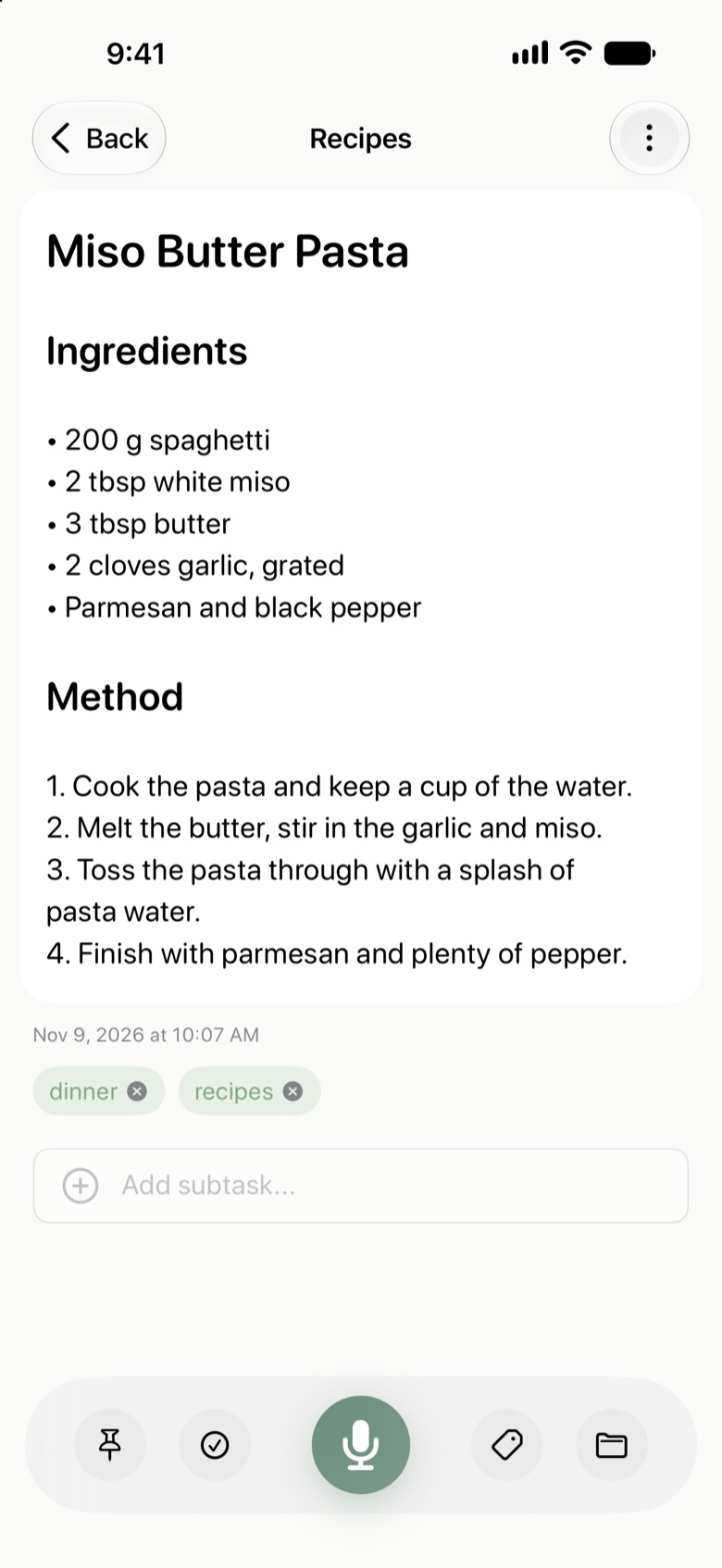
Tap “Save & Extract” from the iOS or macOS Share Sheet. Jot cleanly extracts JSON-LD recipes, social captions, and articles, keeping ingredients and method ready for the kitchen.
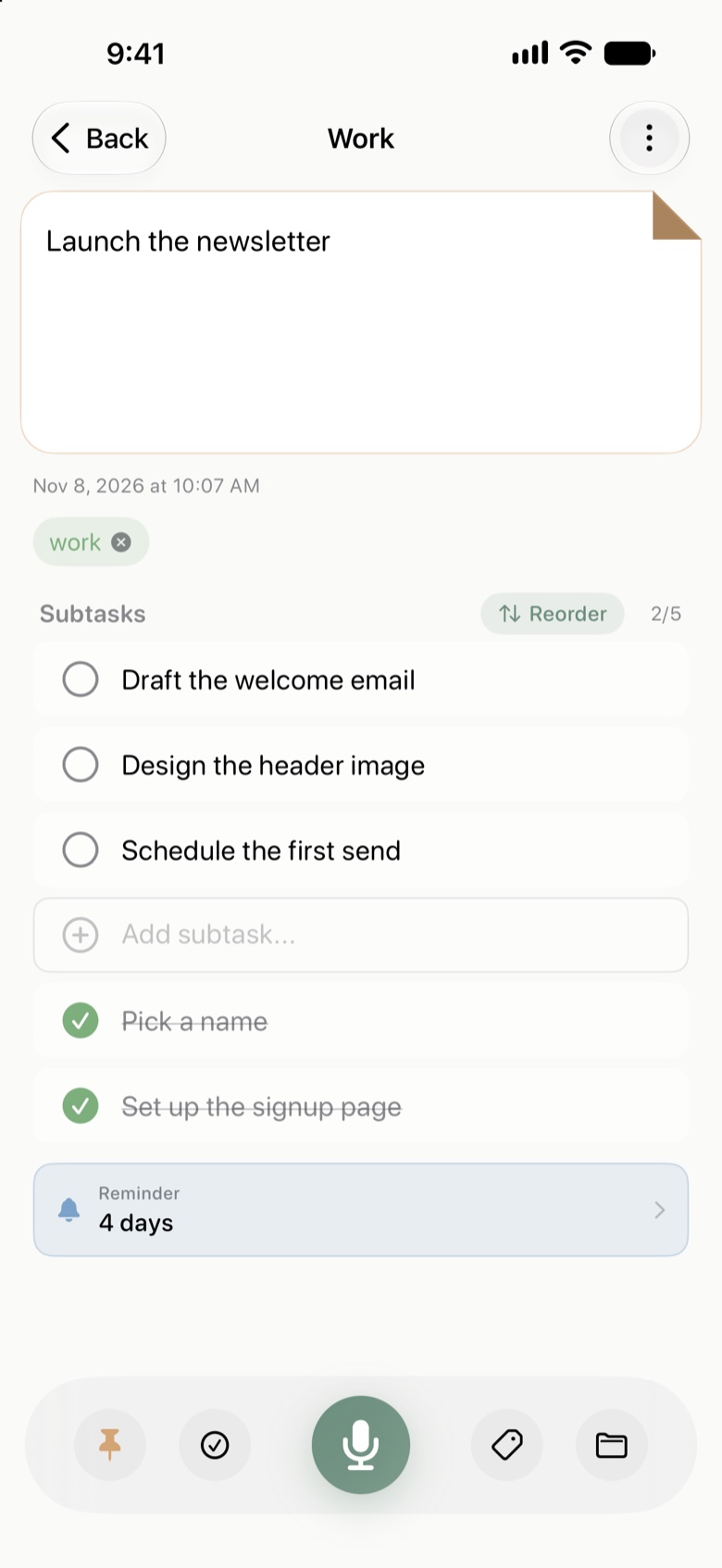
Dictate “milk, bread, eggs, cheese” inside any note to split it into tactile subtasks. Drag to reorder, pin important notes with a signature folded dog-ear corner, or promote any subtask into its own top-level note.
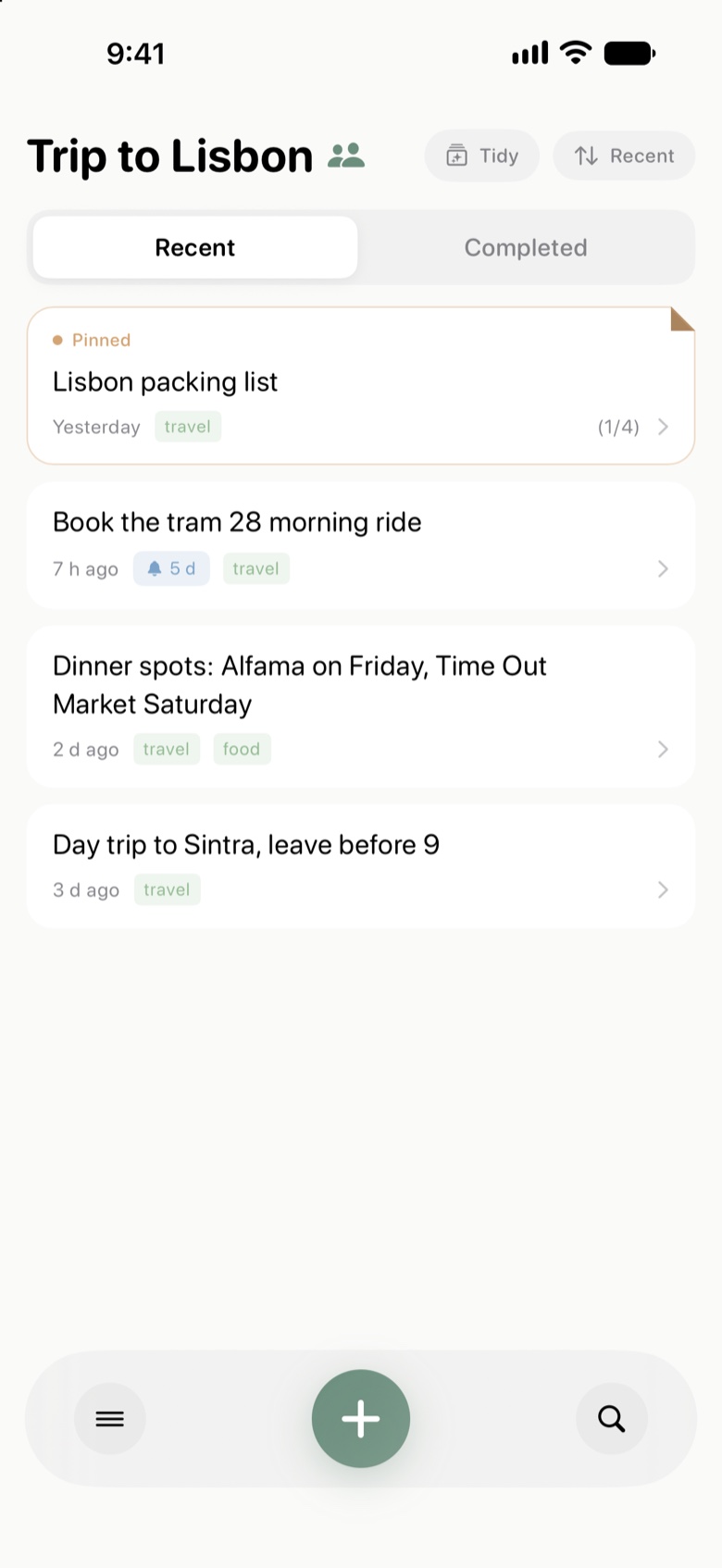
Notes on Lisbon before we pack
Leave room in the carry-on for ceramic tiles from Alfama and a small notebook. Double-check Tram 28 morning times so we catch the golden light before the crowds.
Low-glare charcoal stationery for middle-of-the-night thoughts, paired with actionable notifications (Snooze 1h · 1d · Reschedule · Complete) and quiet daily Inbox review nudges.
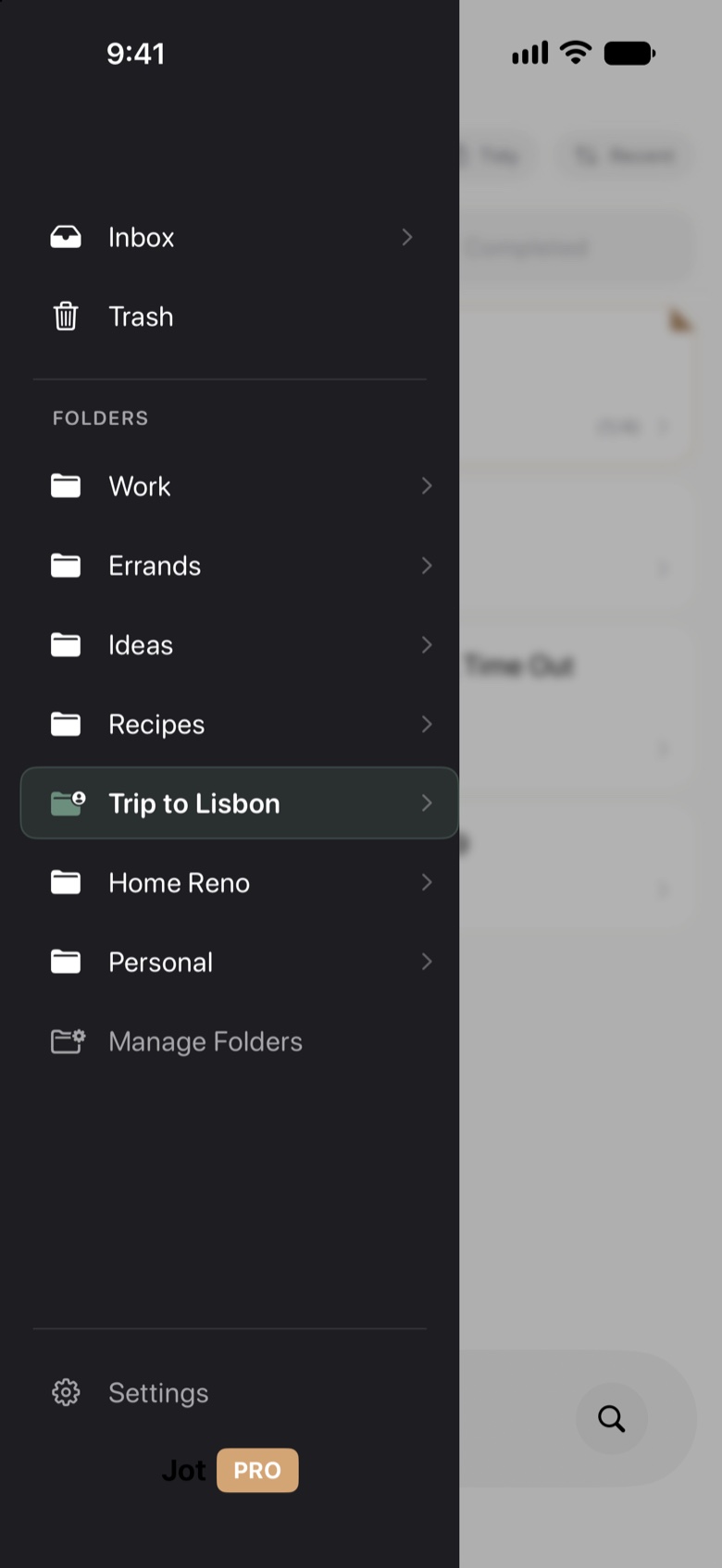
Let Smart Dynamic Folders auto-collect notes by tag, sweep through your Inbox in seconds with rapid multi-select Tidy Up, or share a live folder via native iCloud CKShare for trips, groceries, or home projects.
23
Languages supported
JSON
Full backup & restore
CKShare
Real-time iCloud folders
App Store Reviews
45 Ratings · App Store ↗
“For someone who teaches and is actively in school, it is very helpful to recite all of the things that I need to do and have the Jot app organize it into designated note categories for each topic. Very helpful!”
“The UI is extremely simple and polished, and there are many useful features that you didn’t know you needed. This app is going to be a time-saving daily-driver for me. Well done, and thank you!”
“This is a really nice app for capturing notes with some good organization capabilities as well. Apple Watch app works well and is the key piece for me. The interface is simple and direct, very easy to use.”
“Speedy text or voice entry, multiple themes and can be quickly tidied up with multi-select. Also comes with an Apple Watch app right off the bat and a reasonable lifetime purchase. Worth checking out.”
“Jot is an amazing app, and is very great for when a thought just pops into your head and I need to write it down before I forget it within a few minutes. The multiple themes to customize as well as voice capture are also very nice features.”
“Jot is a sophisticated solution for taking voice notes and quickly capturing thoughts/ideas. The use of shortcuts and the app’s ability to run in the background provide a seamless and frictionless experience.”
Honest Pricing
Jot’s core note-taking, voice transcription, iCloud sync, widgets, and Markdown are free forever. Upgrade once for lifetime Pro across your entire Apple family.
Everything you need for instant, calm daily capture across iPhone, iPad, and Mac.
Unlock every origami theme, unlimited Brain Dump AI, Watch capture, shared folders, and Remote MCP, with Apple Family Sharing included.
Everything in Free, plus:
Single unlock synced automatically across iPhone, iPad, Mac & Apple Watch.
Privacy & Calm
Jot has no account signup, no advertising profiles, and no lock-in. Your notes live locally and sync through your private Apple iCloud container. Switch Brain Dump to 100% On-Device Apple Intelligence whenever you want zero cloud transmission.
